
🙏 Getting Started
Create your account and choose your preferred language
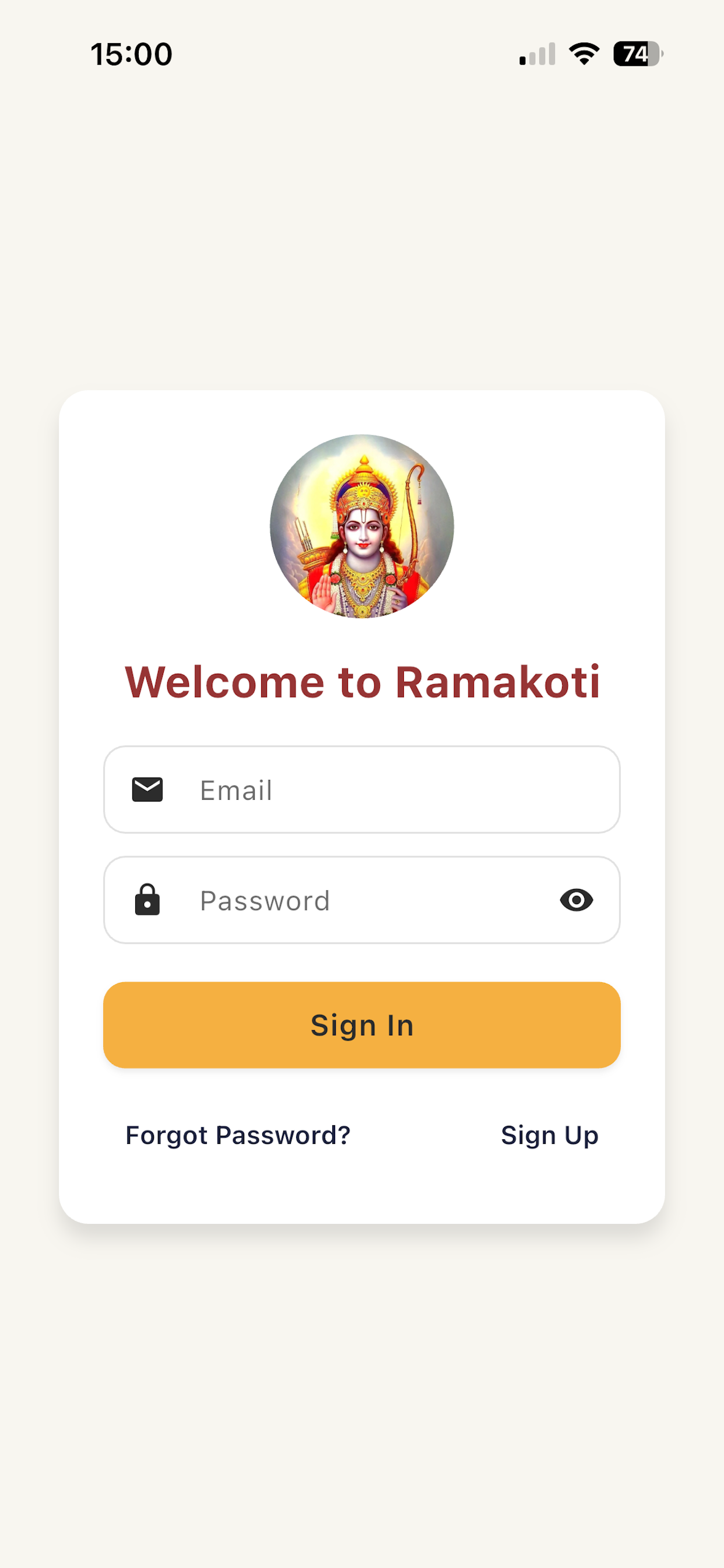
Welcome Screen
Open the app and you'll see the beautiful welcome screen. If you're new, tap "Sign Up".
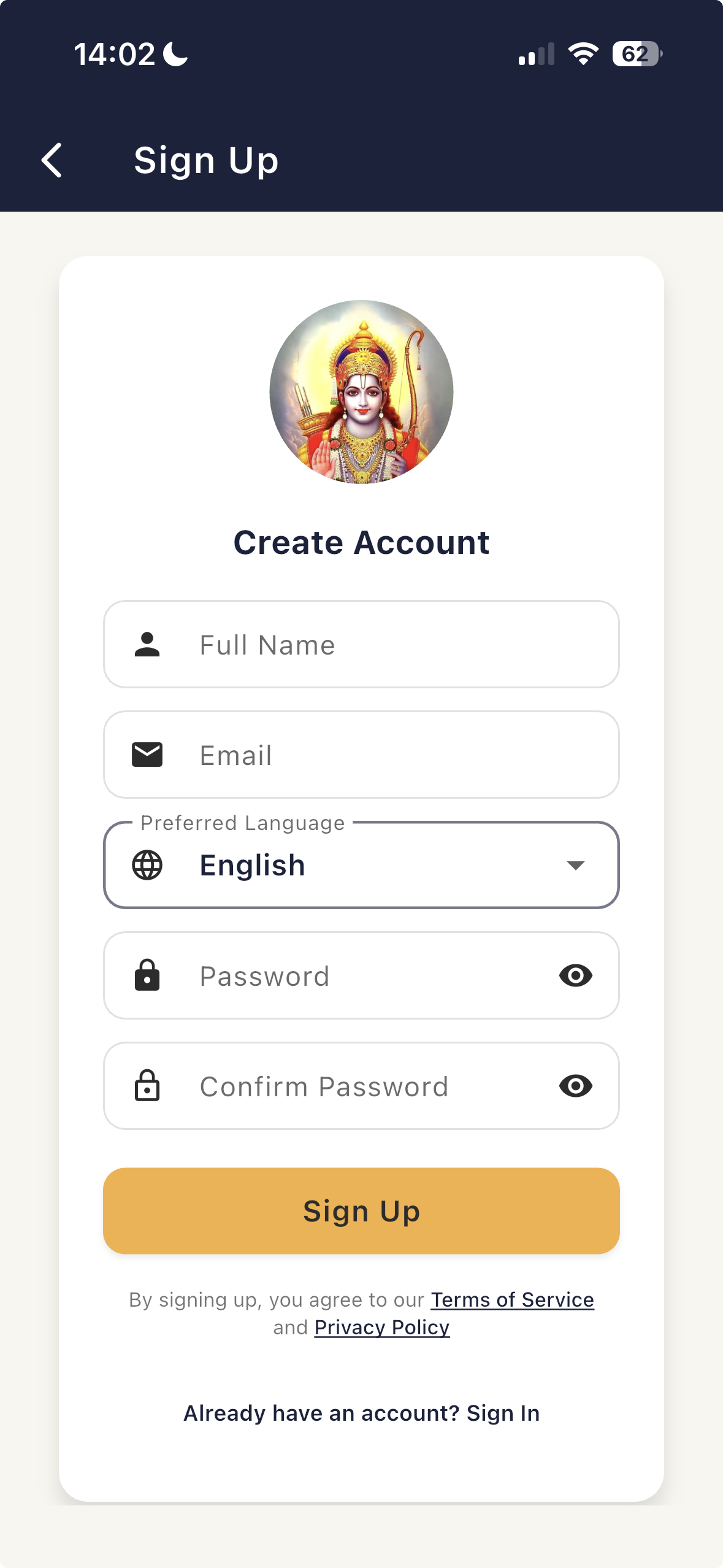
Create Account
Fill in your details to create your account:
- ✓ Full Name - Your name
- ✓ Email - For account recovery
- ✓ Password - Create a secure password
- ✓ Confirm Password - Re-enter password
Your data is securely stored in the cloud and synced across devices.
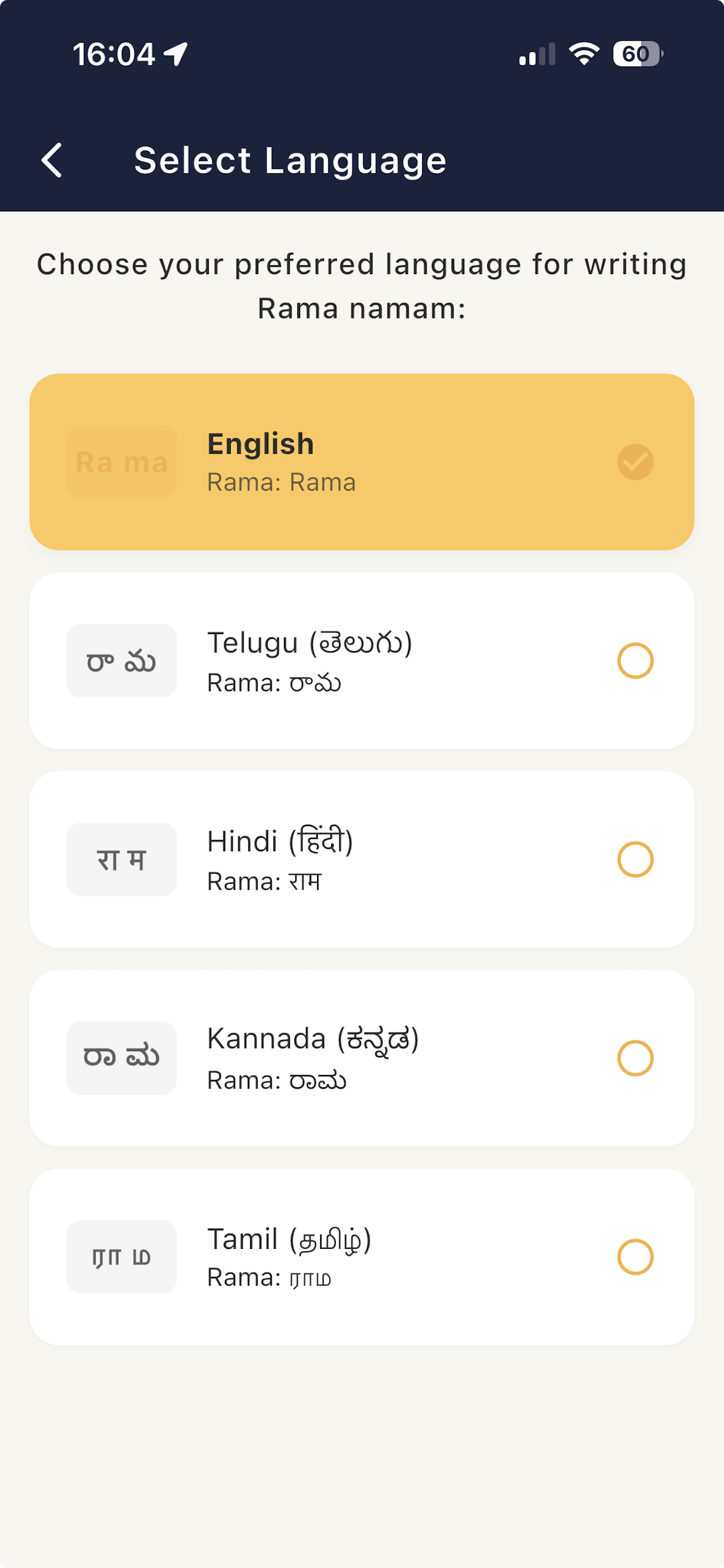
Choose Language
Select your preferred language: English, Telugu (తెలుగు), Hindi (हिंदी), Kannada (ಕನ್ನಡ), or Tamil (தமிழ்).
📝 How to Sign Up
Follow these simple steps to create your Ramakoti account
Open the App
Launch the Ramakoti app on your mobile device. You'll see the welcome screen with a beautiful image of Lord Rama.
Tap "Sign Up"
On the welcome screen, tap the "Sign Up" button in the bottom right corner to create a new account.
Fill in Your Details
On the "Create Account" screen, enter the following information:
Verify Your Email
After submitting the sign-up form, you will receive a verification email at the email address you provided.
What to do:
- 1. Open your email inbox
- 2. Look for an email from Ramakoti App (Firebase Auth)
- 3. Click on the verification link in the email
- 4. Your email will be confirmed!
IMPORTANT: Check Your Spam Folder!
Verification emails from Firebase Authentication often go to the Spam/Junk folder. If you don't see the email in your inbox within a few minutes, please check your spam folder.
Note: You will not be able to login until you click the verification link in the email.
Select Your Language
After verifying your email and logging in, you'll be taken to the language selection screen. Choose your preferred language for writing Rama nama:
- • English - Rama: Rama
- • Telugu (తెలుగు) - Rama: రామ
- • Hindi (हिंदी) - Rama: राम
- • Kannada (ಕನ್ನಡ) - Rama: ರಾಮ
- • Tamil (தமிழ்) - Rama: ராம
💡 You can change your language anytime from Settings.
Start Writing!
Congratulations! Your account is verified and set up. You'll now see the main writing screen where you can begin your spiritual journey of writing Rama nama. 🙏
📌 Important Notes:
- ✓ You must verify your email before you can login - check your inbox and spam folder
- ✓ Verification emails often go to spam - always check your spam/junk folder first
- ✓ Your account data is stored securely in the cloud
- ✓ You can access your progress from any device by signing in
- ✓ Make sure to remember your email and password for future logins
- ✓ Your email is only used for account verification and recovery - we never spam
- ✓ All your writing progress is automatically synced across devices
✍️ How to Write Rama Nama
The core practice - write with devotion and mindfulness
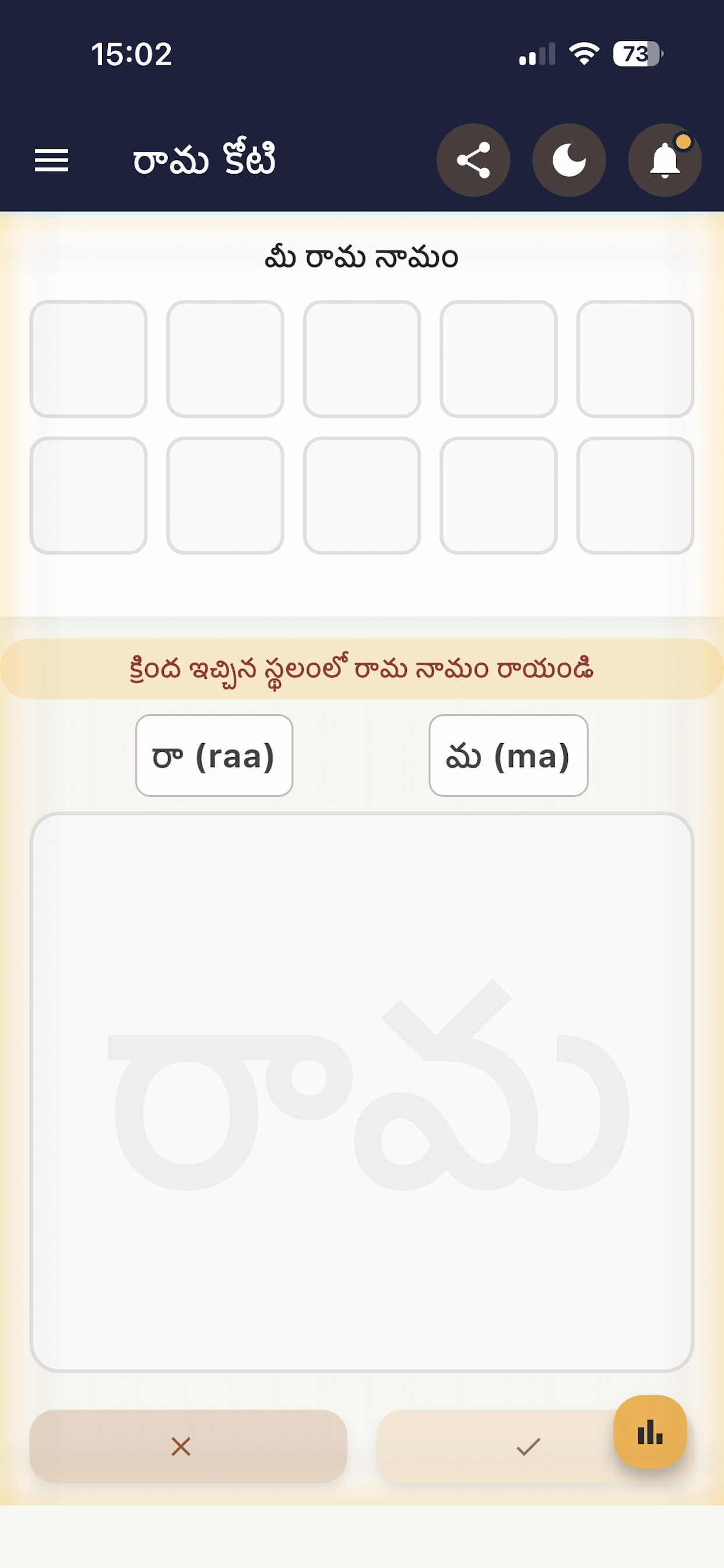
Telugu (రామ)
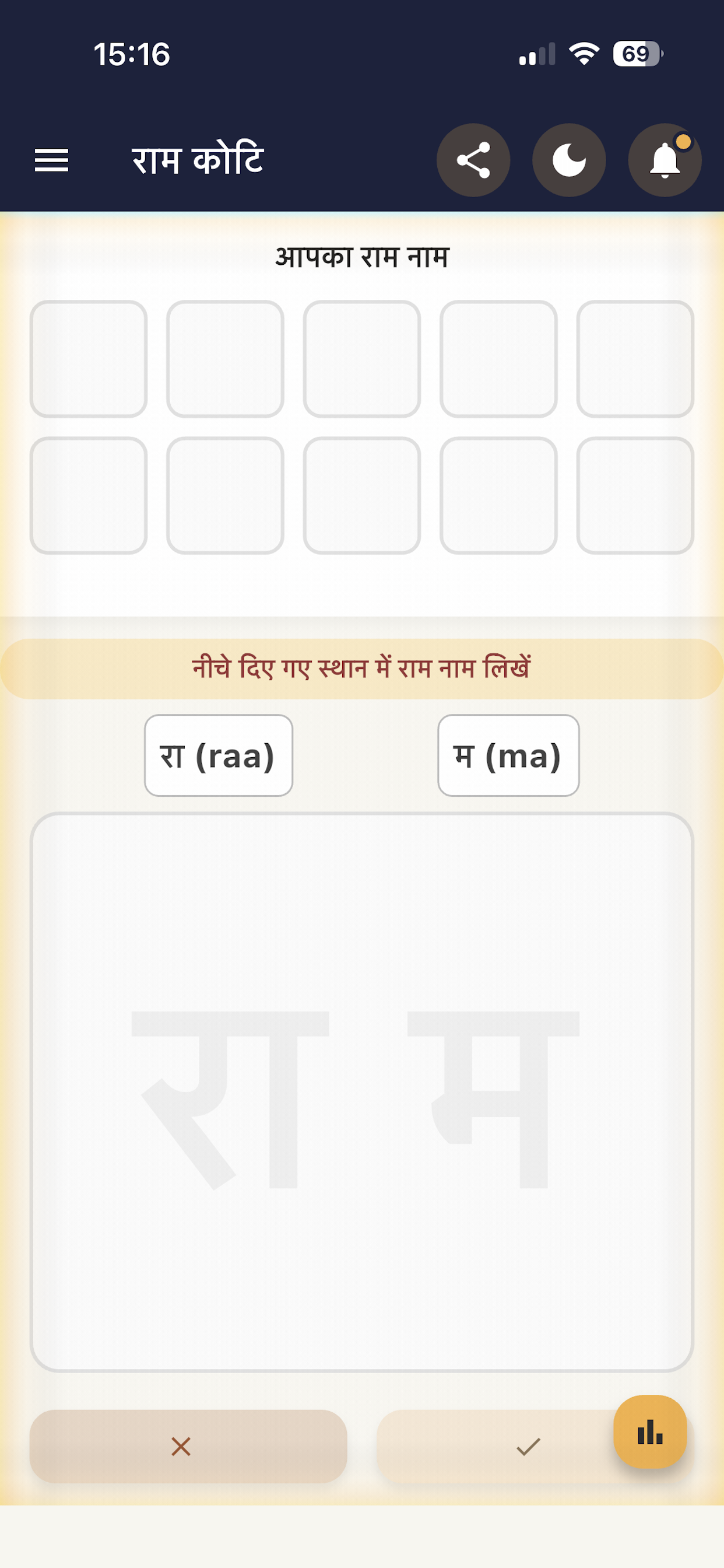
Hindi (राम)
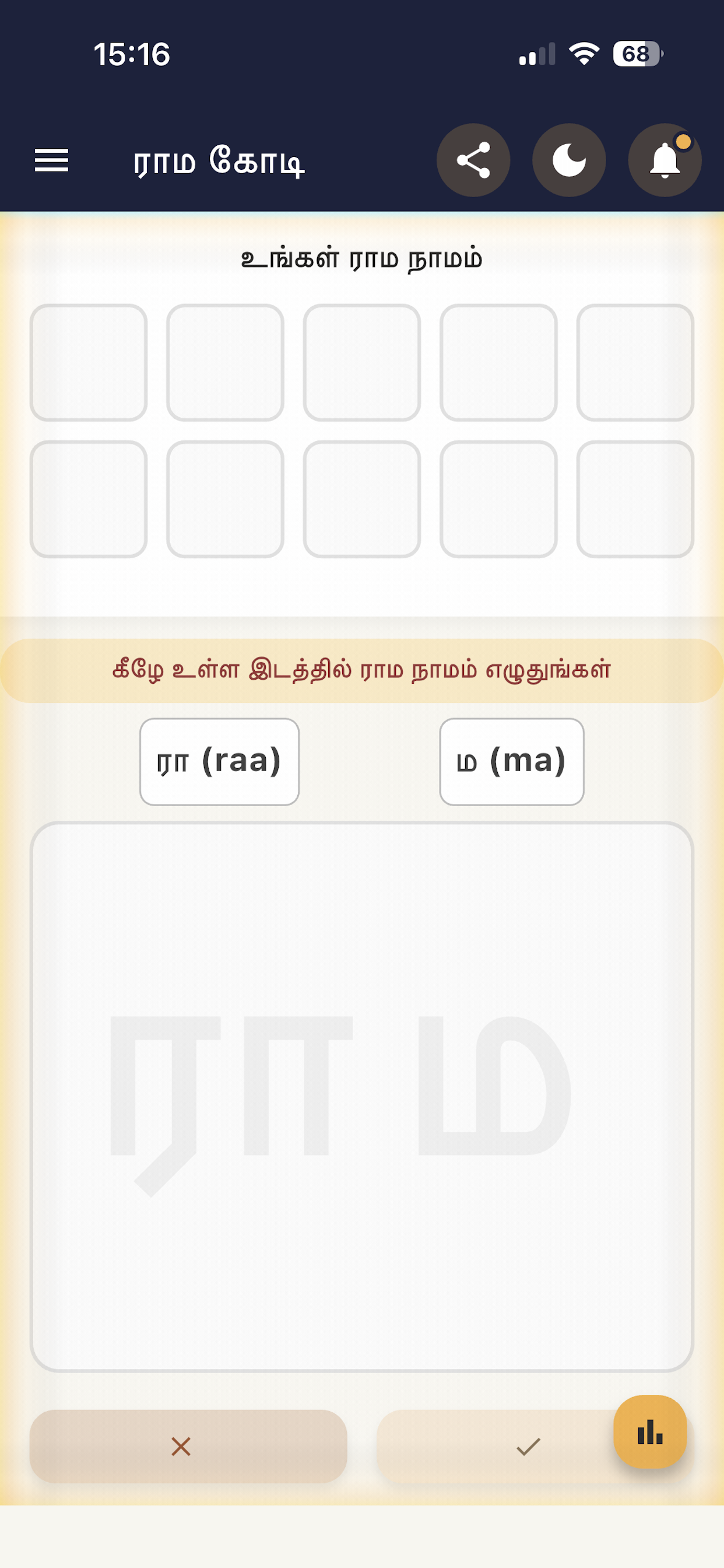
Tamil (ராம)
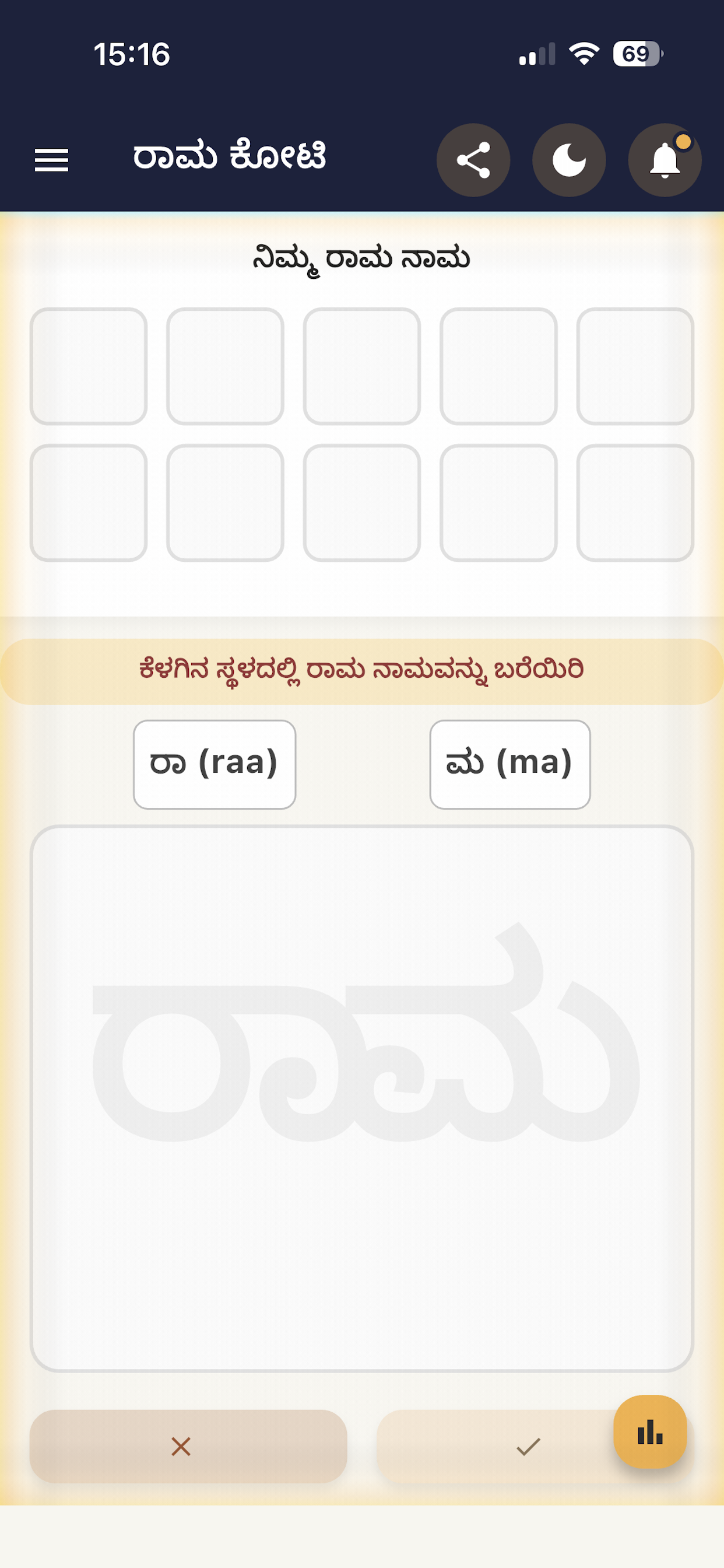
Kannada (ರಾಮ)
Step-by-Step Instructions
-
1
On the writing screen, gently trace the letters with your finger. After finishing, press the ✔ (check) button below to save your writing.
-
2
This app does not verify what you write; your conscience and sincerity are what truly matter. You are your own judge.
-
3
You may write as many times as you like, as long as time permits. After completing each entry, press the ✔ button to save it.
-
4
It is best to write 108 times in a single session without leaving the screen. Once you complete 108, a small visual surprise awaits you at the end! 🎉
-
5
Write slowly, silently reciting the name "Rama" in your mind. Let your attention be fully present with each stroke.
-
6
Press the orange button at the bottom to check how much you have written and view your count.
-
7
You can write wherever you are and whenever you feel like it. Let your conscience remain honest, and enjoy the experience.
✨ You will surely grow to love this practice! ✨
📊 Track Your Progress
See your spiritual journey unfold with detailed statistics
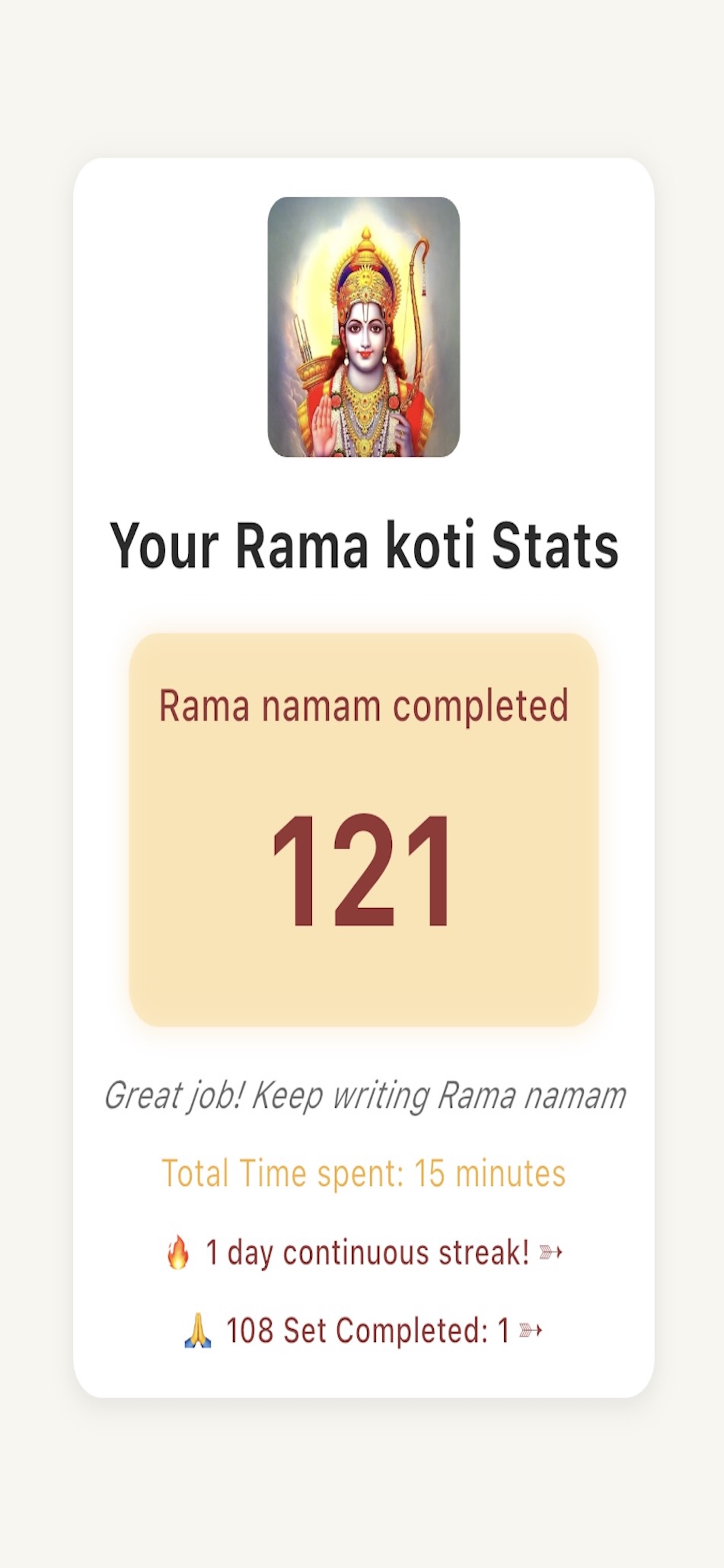
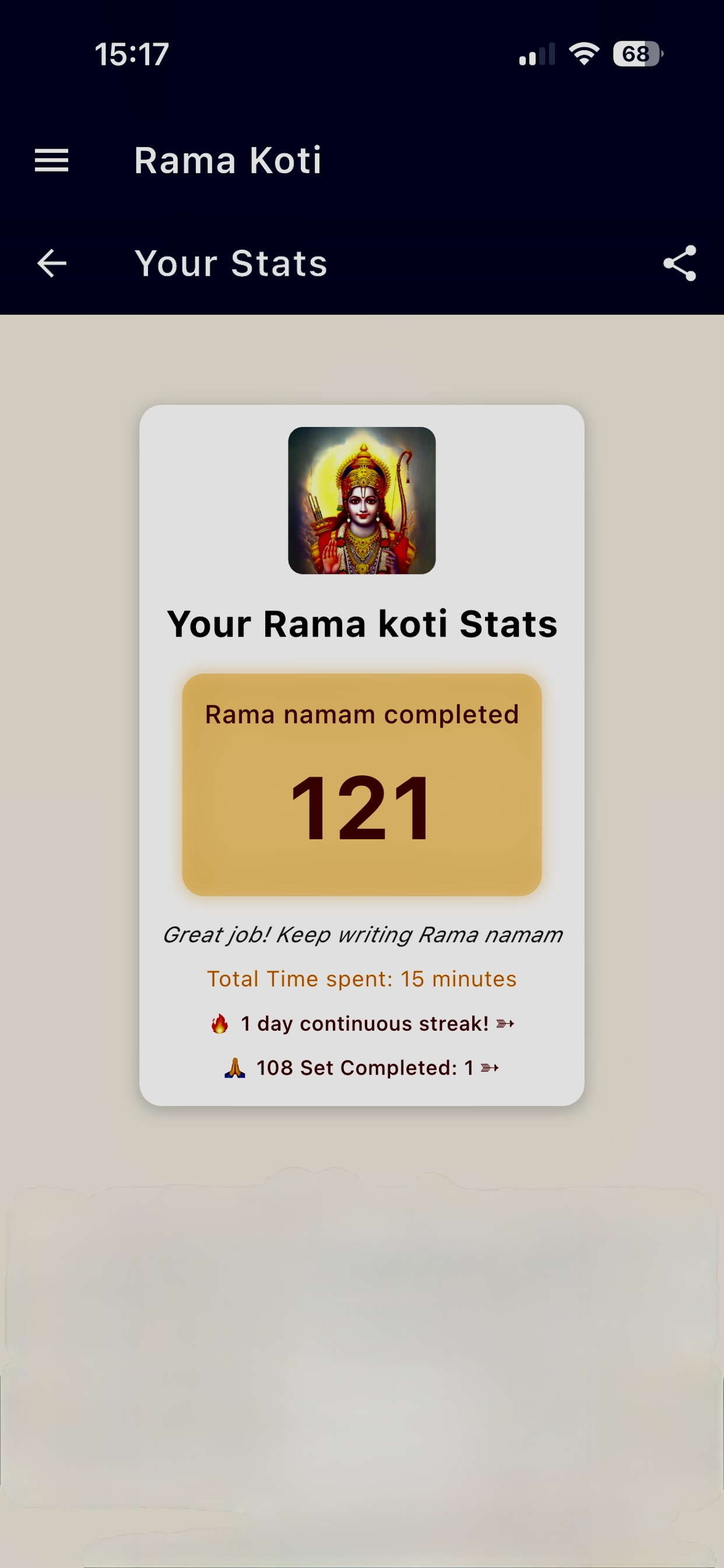
Your Ramakoti Stats
- ✅ Total count of Rama namam completed
- ⏱️ Total time spent in practice
- 🔥 Continuous streak tracker
- 🙏 108 sets completed milestone
Share Your Journey
- 📱 Share button at the top right
- 🌟 Inspire others with your progress
- 👨👩👧👦 Share with family and friends
- 🎯 Motivate yourself by making it public
💡 Tips for Best Experience
Best Times to Write
Early morning or before bedtime when your mind is calm
Posture Matters
Sit comfortably in a quiet place
Set Daily Goals
Even 108 repetitions a day creates a powerful practice
Write with Devotion
Quality over quantity - let each writing be heartfelt
Ready to Begin Your Journey?
Download Ramakoti App and start writing today